About Product Groups, Products, Product Instances, and Content Packages
This topic provides an overview of how your products and their supporting information and other materials are organized in Xbox One.
Content structure in Xbox One
In Xbox One, all of your Xbox content information is securely stored and maintained in a single production environment, both during your product’s development and after its release.
This change from earlier Xbox releases provides much greater predictability throughout the various stages of your product’s lifecycle, and Microsoft Content Isolation technology safeguards your information from unauthorized access and exposure at every stage.
First, a glance ahead
Begin by taking a look at this diagram, where all of the basic elements in the content-organization structure are represented.
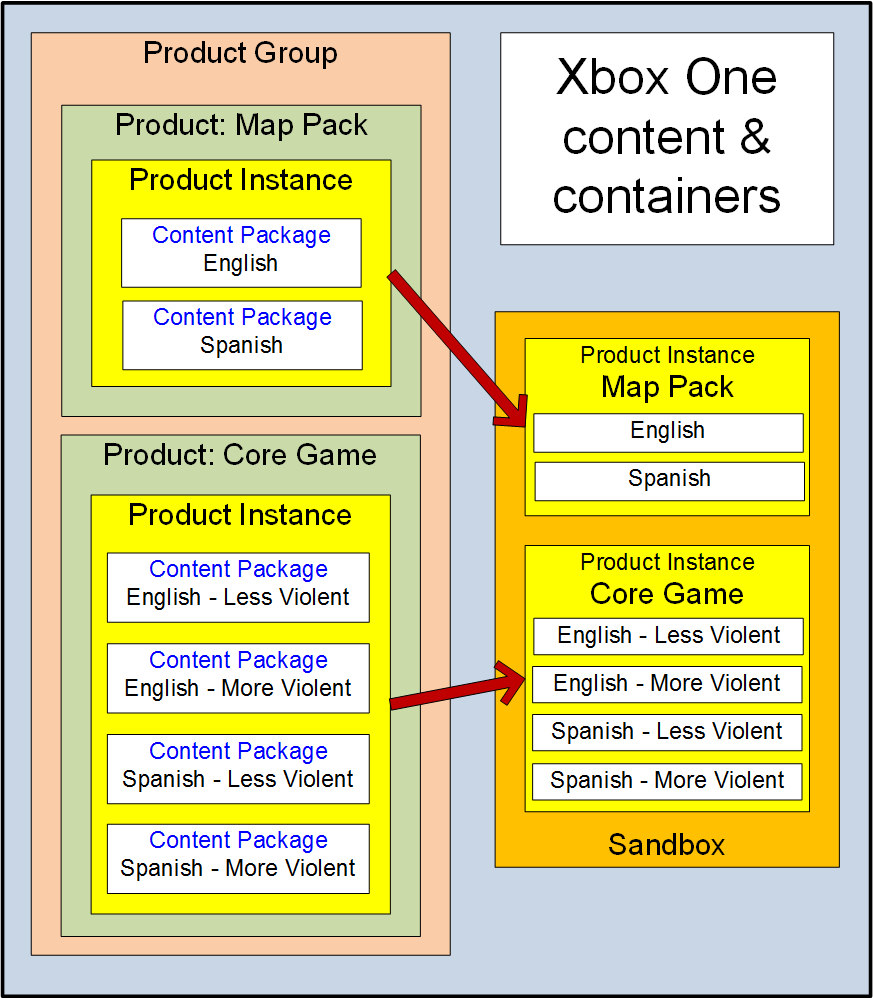
At the left side of the diagram, individual builds of your products are represented by content packages inside of product instance containers, which are stored inside of product containers. The product containers themselves are stored inside of a product group container.
In the example pictured here, one of the products is the core game for a title, and the other is a map pack for the same title.
At the right side is a development sandbox, where your product builds can be accessed in run-time by users who have the necessary permissions.
But now, let’s go back to the beginning and look more closely at each of the elements in this structure.
1. Your Xbox One organization
At this stage, your organization already has a licensed presence in Xbox One, and you may already have user accounts, trusted devices, and access groups created and set up in the system. But you do not yet have any product groups in Xbox One.
2. The product group
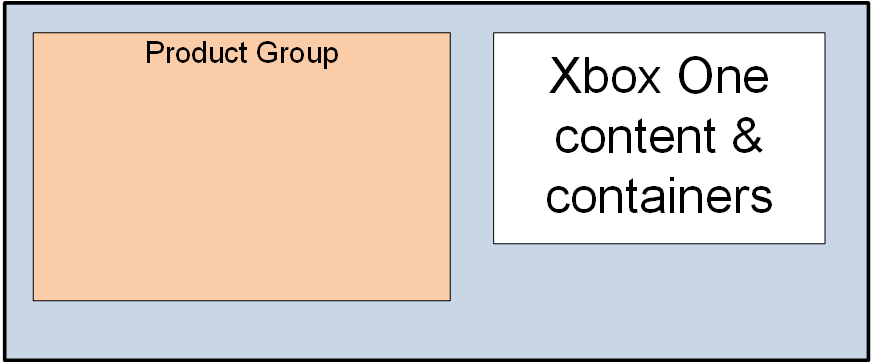
The product group is the highest level of content organization. It contains all of the products that belong together in (for example) one game title. Here, you see the product group container for a game title, which will contain the core game for that title and also any downloadable content (DLC) and other products that run with, or are otherwise associated with, the core game.
3. Products in the product group
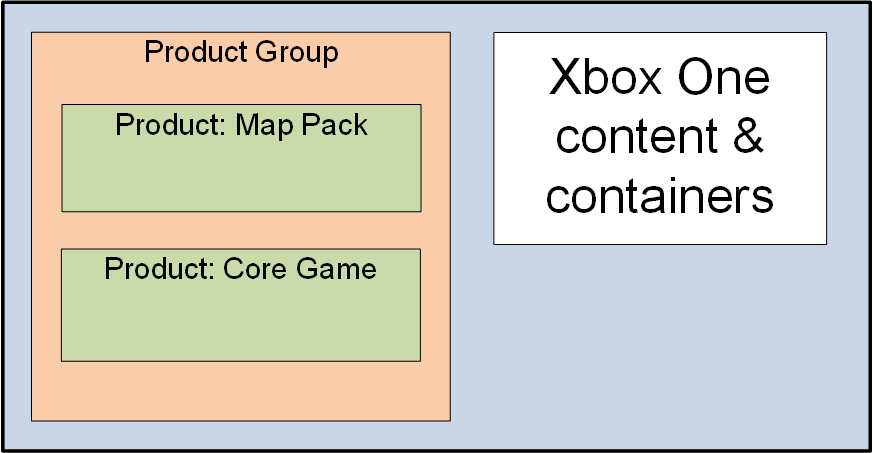
Here, two individual product containers have been added to the product group for the title: the core game, and a map pack.
4. Product instances and development sandboxes
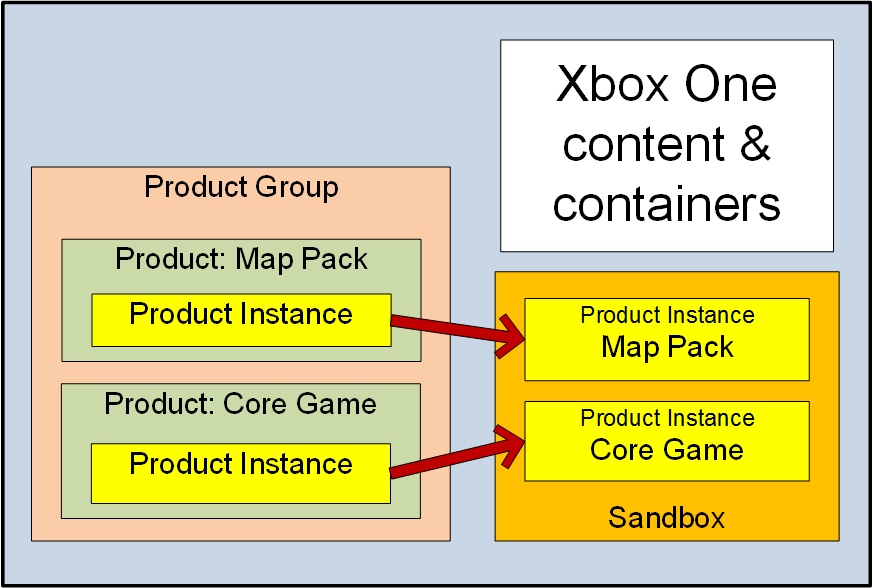
When a product instance container is created, it is immediately assigned to an Xbox One development sandbox. After that, both the product instance and the build files in all content packages are added to that product instance are all considered to be “in” that sandbox.
Sandboxes are at the heart of the Xbox One system of Content Isolation, a proprietary Microsoft technology that prevents any unauthorized user from gaining run-time access to your Xbox One sandboxes, both while your products are still in development and when they have been released. You have complete control over who has run-time access to each of your development sandboxes, to the product builds in them, and to all of the service configuration and other information currently associated with them.
A product instance may contain either a single build of the product in a single content package, or multiple builds with each build in its own separate content package.
It is useful to be able to include multiple builds in a single product instance, because only a single instance of a product can be located in a sandbox at any one time. If, for example, you want it to be possible to run either of two different builds of your core game in connection with builds of other products, all in a single sandbox, both core game builds will need to be included in the same product instance. (You’ll see an example of how this works in the next section.)
Important
No one product instance can be placed in more than one sandbox, but it is normal for a single sandbox to be associated with one instance each of multiple products-and thus with all of the content packages in all of those instances, which can thus all be run in association with one another.
(Note that it is possible to create a copy of a product instance in another, separate development sandbox. Going forward, the copy is an entirely independent object, not linked in any way to the original from which it was copied.)
5. Content packages
Each content package contains the files for only one build of a single product.
In the scenario we are illustrating, there are two builds of the map pack in the map-pack product instance, one build in English and the other build in Spanish; but there are four varying builds of the core game in the core-game product instance. Each of the four core game builds provides a different combination of language (English or Spanish) and degree of violence (More Violent or Less Violent). This way, with the two product instances placed together in the same sandbox, each of the four core game builds is able to access the appropriate map pack.
At the point pictured in the illustration, either of the following users can run any of the four builds of the core game, each with the appropriate map pack:
- A user whose user account is included in an access group that has been assigned the Runtime Access permission and granted access to this sandbox.
- A user whose user account is not included in such an access group, but who is logging on from a trusted device that is included in such an access group.
Run-time access to a sandbox can be granted to an access group only for all of the product instances and content packages that are currently assigned to that sandbox, and not for only a subset of those product instances and content packages.
In other words:
Any user whose user account is included in an access group that has been assigned the Runtime Access permission and granted access to a specific development sandbox can run any available content package that is currently located in that sandbox. (The same is true of any user who is logging on from a device that belongs to a group that has the same permission and access.)
Only the beginning
The configuration illustrated here is an extremely simple one, intended only to introduce the basic Xbox One organizational structure.
- Many more products and types of products can be included in a single product group than are included here.
- Also, product instances from separate product groups can all be placed together in the same single sandbox, so that their content packages can be run together and/or access one another.
- Finally, entirely separate and unrelated groupings of product instances can be assigned to a single sandbox.
For example, instances of the core games from two separate product groups can be placed in a single sandbox, each with instances of other products with which it runs, but with no run-time interaction between the two independent groupings.