Best Practices for Disc-Based Media Reviews
This topic, which is aimed at release managers of game studios, presents current best-practice guidance on how publishers can provide the media with pre-release copies of titles for review. Specifically, the document describes the steps involved in preparing and releasing non-secure pre-certification disc-based games to the media. It also includes the best practices for revoking content after the review period is complete.
Introduction
At a high level, this method consists of the following steps:
- Create the product in the Xbox Development Portal (XDP).
The product should include minimal configuration for multiplayer and connected storage features. - Create the package using the /LT option and Title ID/SCID in the AppXManifest.
- Burn the package to disc within a root directory of MSXC.
- Create separate developer accounts in your developer sandbox for each media representative who you want to review the title.
- Ship the disc to the media representative(s).
These steps are discussed in detail in the remainder of this document.
Important Warning: It’s very important to be aware that discs created with the method described in this paper are encrypted with a well-known key that is available on any Xbox One development console (dev kit). Thus, the content on discs created with this method can be extracted and viewed on any dev kit.
Creating a product in XDP
Prerequisite: Your XDP account must have the “Create and Submit Products” permission.
If you have already created the product in XDP, you can skip to Obtaining your Title ID and SCID.
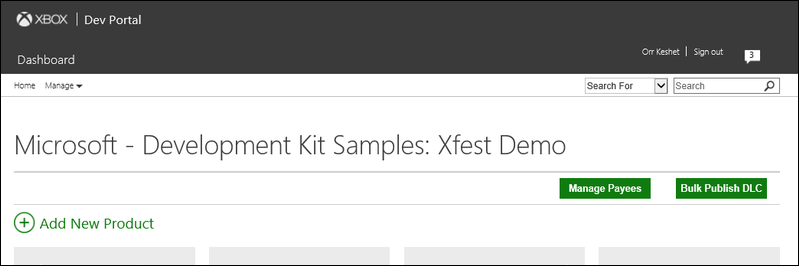
- Log in to XDP and select Add New Product.
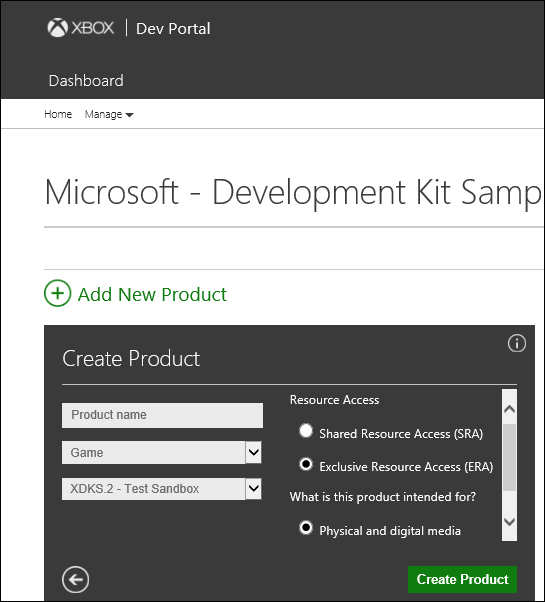
- Enter the product name and the sandbox that the media will access to review the title; that is, the sandbox where you’ll create accounts for your reviewers. Select ERA under Resource Access, click the button next to Physical and digital media, and then click Create Product.
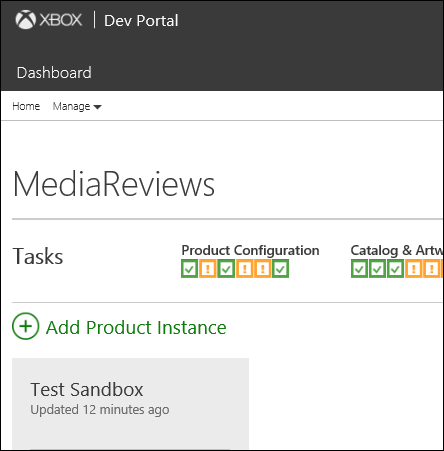
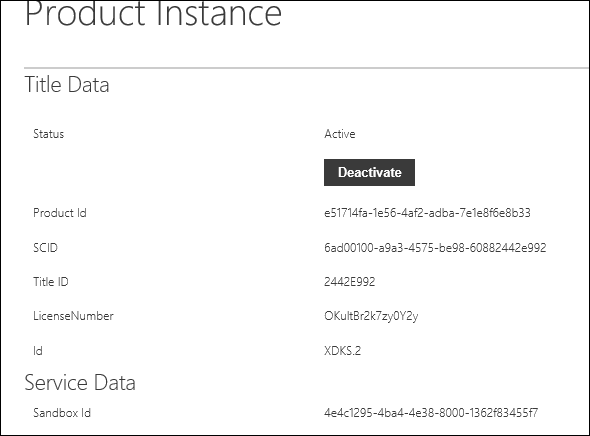
- Obtain your Title ID and SCID. These can be obtained by selecting your product instance in XDP. Please note that the text does not initially appear to be clickable.
Be sure to make note of your Title ID and SCID, because you will have to include them in the AppXManifest in the package you are publishing.
Creating a package to be burned on disc
The next step is to create a package that can be burned to disc.
You should work with the title developer to get the correct command line to run.
Makepackage /LT <other-parameters-provided-by-title-developer>.- Place the package in a root directory called MSXC. This will enable Xbox to auto-install your title when the disc is inserted.
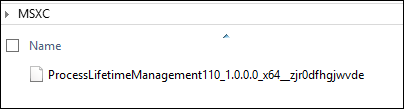
Burning the title package to disc
Using your favorite disc-burning software, save the MSXC directory with the Xbox Virtual Container (XVC) you created in the preceding step to disc.
Creating an account in your developer sandbox for the reviewer(s)
The assumption is that the media reviewer has a dev kit capable of running red-signed title bits on a green-signed OS console. The only missing link is to enable the media reviewer to access Xbox Live functionality in your title. For reviewers to have such access, they’ll need to have an account for your sandbox and configure their console for your sandbox.
Please refer to the white paper Sandbox Survival Kit (Developer Education Materials > All NDA Whitepapers) for information about how to add accounts for your developer sandbox.
Revoking access to content upon completion of the review period
In order to prevent reviewers from accessing the Xbox Live functionality of your title, you can remove the account they use to access your developer sandbox. The Sandbox Survival Kit white paper provides information about how to do this.
As for revoking access to the offline parts of your title, with this method of distribution the only way to prevent red-disc running is to disable dev-kit functionality. Please reach out to your developer account manager (DAM), who can work with the appropriate Microsoft contacts to make this change.
Please note, however, that if the reviewer’s console never goes online, it might never be possible to prevent running your content offline. It is important to understand this risk before using this method. Furthermore, it is important to have proper non-disclosure agreements (NDAs) and other required agreements in place before sending out discs.