Game DVR Clip Privacy Settings
When a Game DVR clip is created for a user that has an Xbox Live Gold membership, the clip is automatically uploaded to Xbox Live in the background. Depending on how privacy settings are set, users can see clips from both local and online storage.
The following privacy settings affect how Xbox One uses Game DVR clips. Users can change these settings in the Privacy settings section of their profile.
See your game clips
The See your game clips privacy setting determines which users can see clips that you have uploaded to Xbox Live.
Figure 1. ”See your game clips” privacy setting
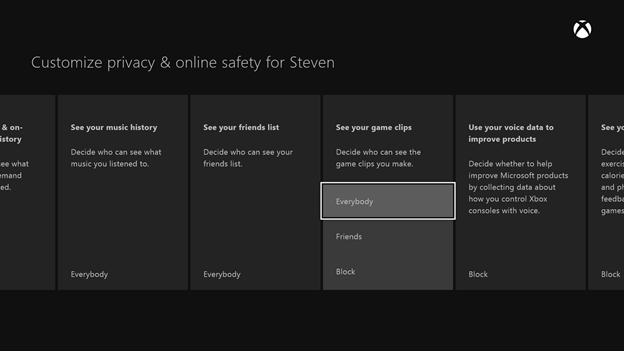
The following table lists the default value of the See your game clips privacy setting based on the user’s age group.
| Age group | Default value of “See your game clips” |
|---|---|
| Adult | Everybody |
| Teen | Friends |
| Child | Block |
Share game clips
The Share game clips privacy setting controls whether newly created Game DVR clips are automatically uploaded to Xbox Live. Only users with an Xbox Live Gold membership can share clips.
Figure 2. ”Share game clips” privacy setting
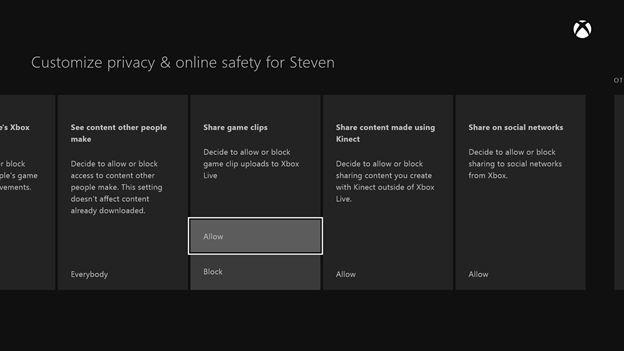
If a clip is created when Share game clips is set to Block (or if the user does not have an Xbox Live Gold membership), the clip will never be automatically uploaded. To upload clips manually, users must do the following:
- Sign into a user account with a valid Xbox Live Gold membership
- Set the Share game clips privacy setting to Allow
- Use the Upload Studio app to upload the clip