Upgrade SRA to UWP app (SRA end of life)
When publishing binaries for an SRA package, you have the option of marking your package as “end of life” and replacing it with a Universal Windows Platform (UWP) app. You can do this by checking the box labeled Mark this package as end of life and entering the Store ID for the UWP app to replace the SRA package.
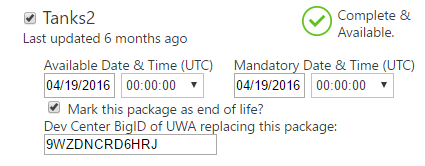
Important Once you have entered the Store ID and validated the submission, the UI will update to clearly show that this publish will mark the package as END OF LIFE and provide a detailed warning about what that entails. When consoles take this update, the UWP app will be installed and the SRA will be uninstalled. The correct satisfying entitlement to UWP needs to be in place for this process to succeed on consoles, otherwise the UWP app won’t download and the SRA to UWP update will fail.
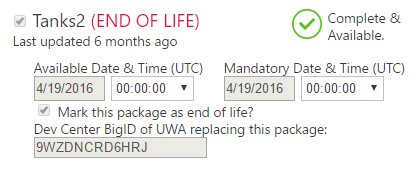
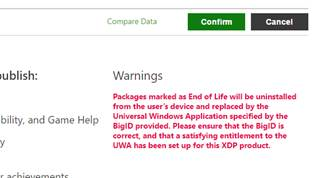
Once you have started the submission, on the product overview page under Product Instances, in the row for the instance that you submitted, you will see (END OF LIFE) in red next to the package name, indicating that it has been marked for end of life.
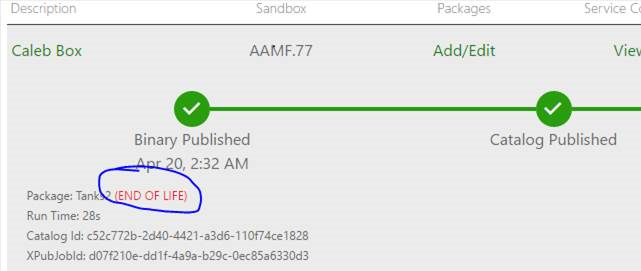
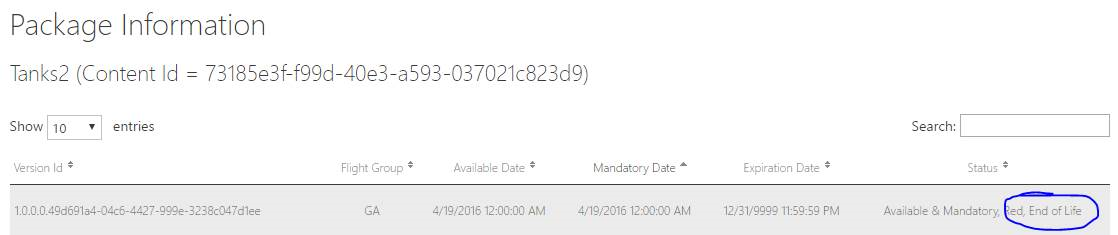
On the Instance details page, under Package Information, in the table for the package, you will also see End of Life listed in the Status column.
Once you have submitted an end of life update for a package, that package can still receive additional updates. This is so you can adjust the available/mandatory date before the update goes live, or undo an end of life completely. However, once a console receives the end of life update, the SRA will be uninstalled, and therefore won’t be aware of any future updates.