Performance Page (Dev Home)
The Performance page of Dev Home simulates various disk activity and CPU usage conditions for troubleshooting purposes.
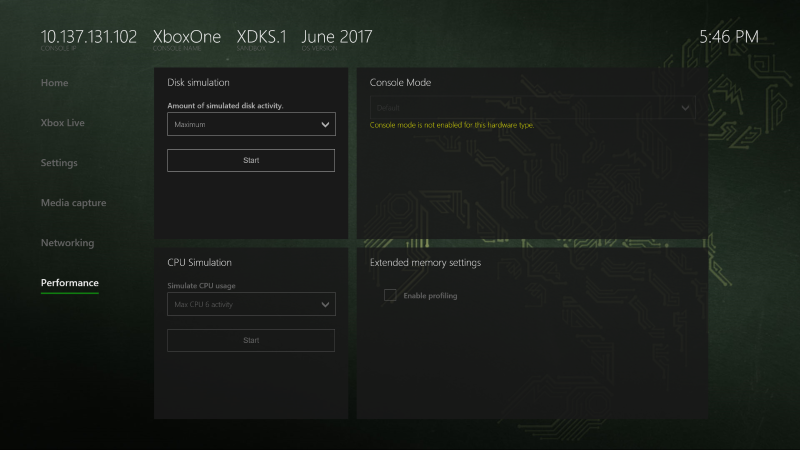
The Performance page contains the following panes:
Disk simulation
The Disk simulation pane simulates disk activity from the system or other apps.
CPU Simulation
The CPU Simulation pane simulates activity on CPU6 (the shared core).
Console Mode
The Console Mode pane lets you test the behavior of your title across a range of console performance and programming characteristics. This lets you validate that your game can run well on all devices in the Xbox One family, though you should always do your final testing with the target hardware. This setting is only available on Xbox One X dev kits. For more information, see Using Console Modes on Xbox One X Dev Kits to Test Your Game.
Extended memory settings
The Extended memory settings pane lets you enable Profiling Mode. Profiling Mode changes the default memory allocation of a console at boot-time to move additional memory to profiling tools such as PIX by removing memory from the System OS. This enables profiling tools to place run-time allocations outside of the title memory space. Otherwise, titles would need to reserve scarce memory to enable profiling features. For more information, see Profiling Mode.