Managing Console Settings
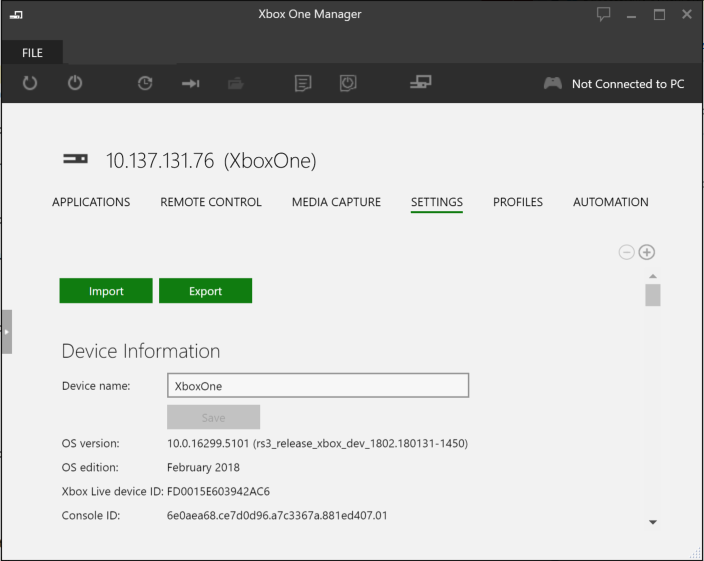
The Settings tab shows the settings for the currently selected console. Settings are grouped by category and the categories can be collapsed/expanded to make it easier to find settings. You can change the console’s settings by editing the settings in this window.
The settings tab has the following settings categories:
- Common Settings - Common settings such as the access key for the console.
- About - Console information including OS version, device ID, and console ID. The about category provides a copy button for copying and pasting the console information.
- Audio - Audio settings such as optical audio mode and HDMI audio mode.
- Debugging - Debugging settings such as profiling mode and debug memory mode.
- Display - Display settings such as resolution and color depth.
- Kinect - Kinect settings.
- Network - Network settings such as hostname and network type.
- Power - Power settings such as power mode and timeout.
- System - System settings such as time zone, sandbox ID, and geographic region.
- User - Default user and default user controller pairing.
Note If you have enabled Xbox Device Portal on your console, the 1706 Dev Preview 1 or newer build of Xbox One Manager will recognize that and replace the Settings tab with an entirely new version that is served up by Xbox Device Portal on the console. In addition, Xbox One Manager will add an Automation tab that hosts the Xbox Device Portal UI for unattended scripts (and for Xbox One X devkits, front panel scripts). If you have set a username and password for Xbox Device Portal on your console, Xbox One Manager will prompt you for credentials when you connect to the console.
Figure 1. Xbox Device Portal Enabled Settings Tab
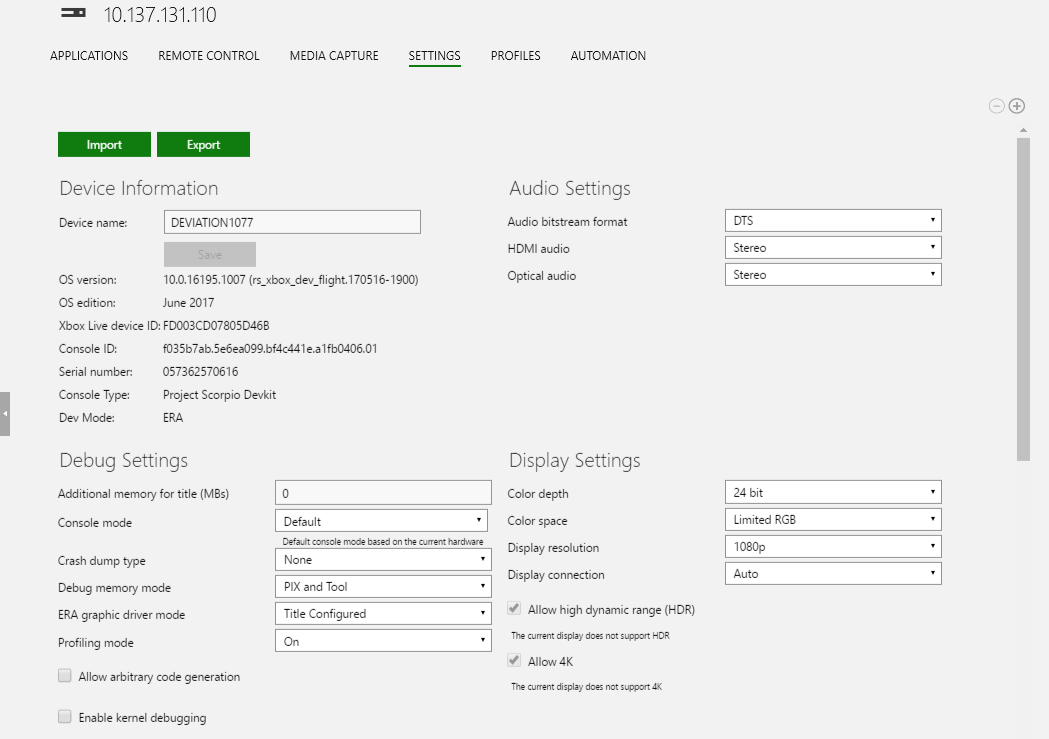
Figure 2. Settings Tab Without Xbox Device Portal Enabled
Importing and Exporting Settings
The Xbox Device Portal enabled setting tab includes Import and Export buttons allowing easy transferring of all settings from one console to another.