PIX Edit and Continue
Shader edit and continue provides the ability to modify HLSL code, GPU instructions, and Compiler Settings and see the resulting effects to performance, output, etc. It is no longer a preview feature and is presented with a new UI flow. Additionally, you can switch between the original and edited states for comparison. Saving your capture will also save the edits you made, so you can easily pick up where you left off or send the capture to another user to view the edits you made.
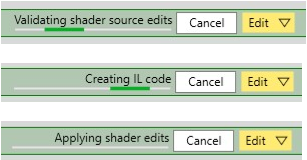
When applying edits, you will notice the following status messages in the top bar next to the Edit drop-down:
**Figure 1.