Networking Page (Dev Home)
The Networking page of Dev Home simulates various networking conditions for troubleshooting purposes. It also allows you to initiate a network packet trace.
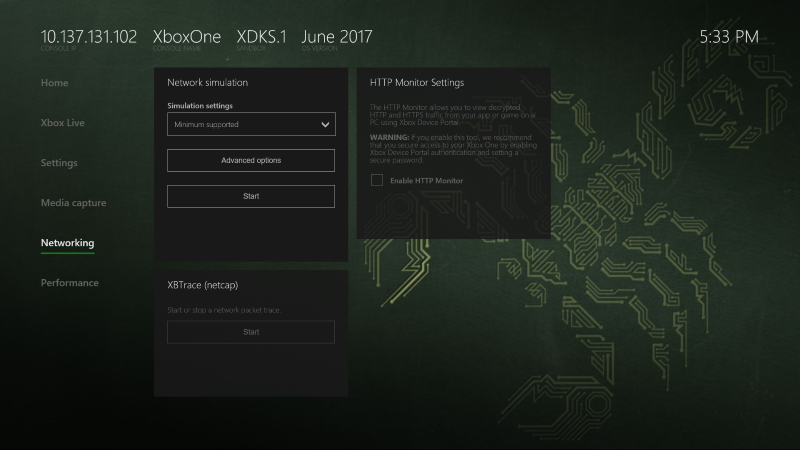
The Networking page contains the following panes:
Network simulation
The Network simulation pane runs a network simulation to test against various bandwidth profiles. You can also select Advanced options to add override URLs that simulate levels of connectivity that are different than the default level of your network simulation, and exempt ports that will always have full network connectivity regardless of the network simulation you’re running.
XBTrace (netcap)
The XBTrace (netcap) pane starts or stops a network packet trace. For more information about network packet traces, see Trace (xbtrace.exe).
HTTP Monitor Settings
The HTTP Monitor Settings pane allows you to view decrypted HTTP and HTTPS traffic from your app or game on a PC using the Xbox Device Portal.
Important If you enable this tool, we recommend that you secure access to your Xbox One by enabling Xbox Device Portal authentication and setting a secure password. See Xbox Device Portal (Windows Device Portal on Xbox) for more information about the Xbox Device Portal and setting up authentication.