Managing Console Automation
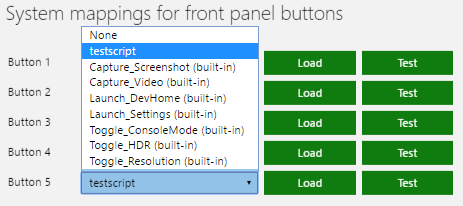
The automation tab in Xbox One Manager hosts the Xbox Device Portal (Windows Device Portal on Xbox) UI for unattended scripts (and for Xbox One X devkits, front panel scripts). The automation tab is only available when Xbox Device Portal is enabled on your console.
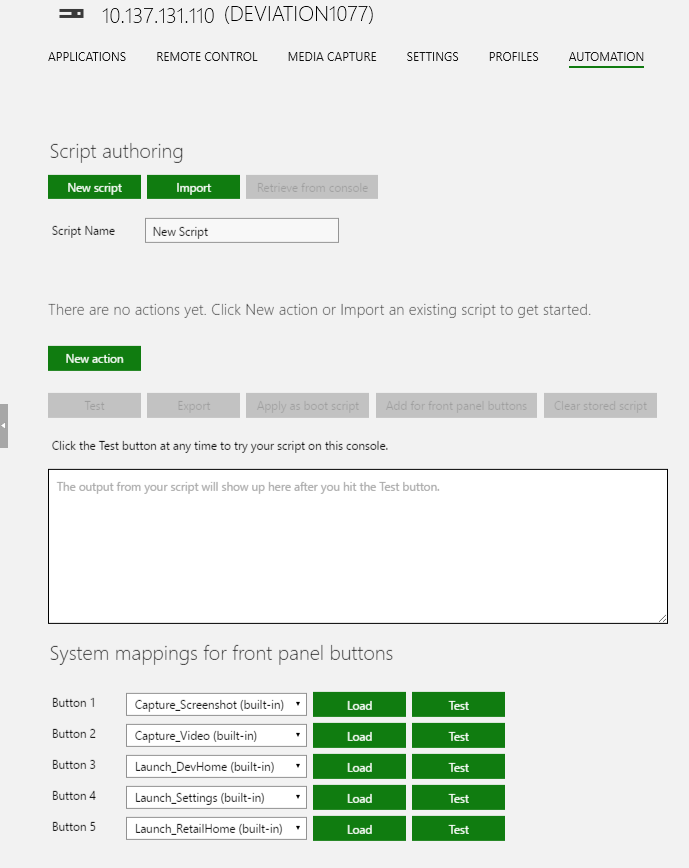
Creating a new Script
- Press the New script button

- Enter a new script name, the default name is New Script
- Add a new action to the script by pressing New action

- Select the action for the script from the window that appears
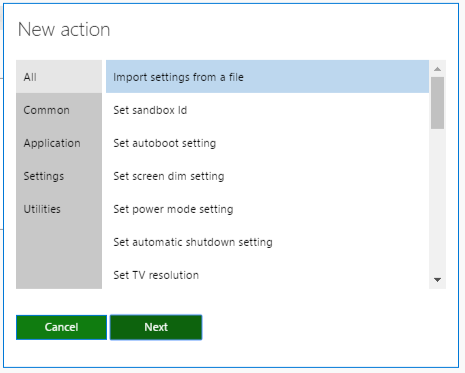
- Click next and set any parameters for the action
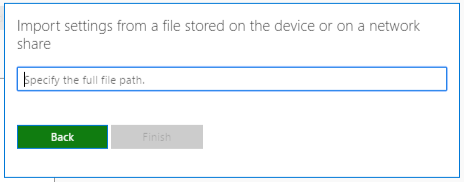
- Repeat steps 3 through 5 to add additional actions to the script.
- Optionally set the script to launch at boot time by clicking Apply as boot script
- Optionally apply the script to one of the front panel buttons by clicking Add for front panel buttons and then selecting the script in the System mappings for front panel buttons section