Setting a Hostname for the Console IP Address
You can set a friendly name (called a hostname) for the Xbox One dev kit to use as an alternative to the console IP address when communicating with the console from the Development PC. For hostname connectivity to work, typically, your development PC and the console must be on the same subnet; for more information, see “Network Considerations” below.
Note Tools and Console IP are largely interchangeable, but hostname is still preferred in the case IPs for your dev kit console are refreshed.
To Specify a Hostname
You can define a hostname for a dev kit using any of these approaches:
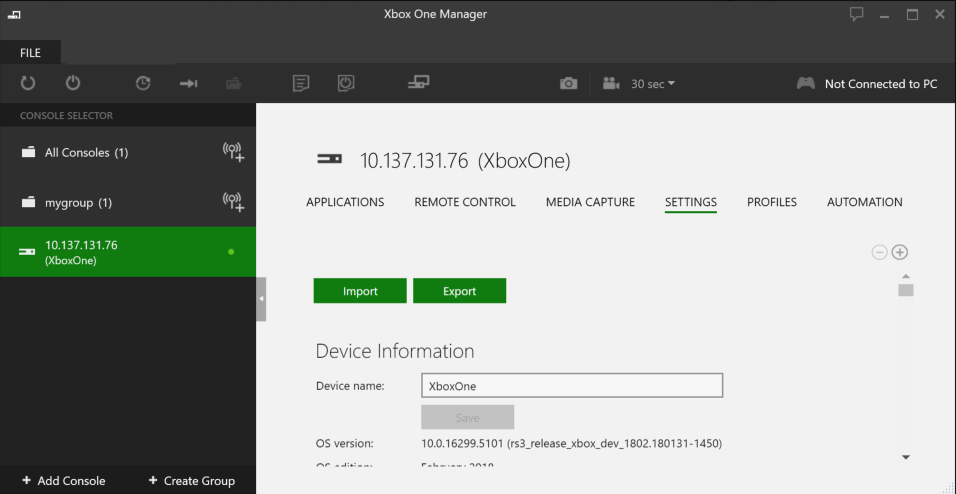
- In Xbox One Manager:
- Add a console using the Add Console button.
- Select the console.
- Click on the Settings tab.
- Change the Hostname value.
- Click Save Settings.
- Click Yes to reboot the console.
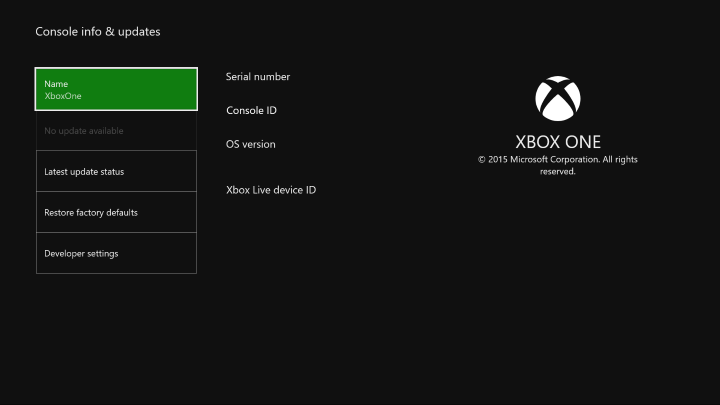
- On the dev kit go to Settings / System and specify a Name.
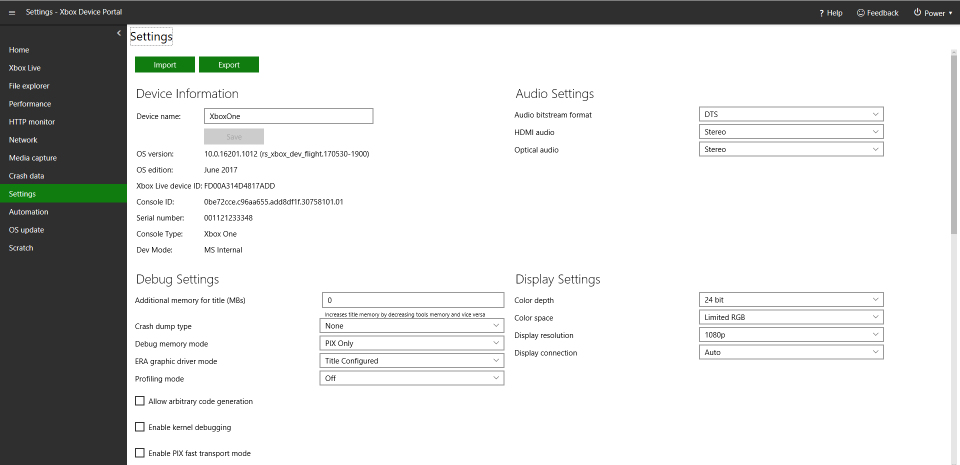
- In Xbox Device Portal (Windows Device Portal on Xbox), go to the Settings page and enter the hostname in the Device name field.
- Use the Configuration (xbconfig.exe) tool from an Xbox One XDK Command Prompt with the syntax:
xbconfig HostName=name
Note that there is no enforcement of name uniqueness, so care needs to be taken to avoid name duplication. Consider deriving the name from the Development PC’s name, which is typically unique within an organization.
To connect to the dev kit using the hostname
If you are using Windows 7 you must configure your Development PC to work correctly with the hostname support. From an Administrator command prompt run:
reg add HKEY_LOCAL_MACHINE\SYSTEM\CurrentControlSet\Services\DNSCache\Parameters /v MaxNegativeCacheTTL /d 0 /t REG_DWORD
This is not necessary if you are running Windows 8 or later. For more information refer to How to Disable Client-Side DNS Caching in Windows XP and Windows Server 2003.
The hostname can be used with the remote tools in the same manner as the console IP address. For example, both of the following will connect to the dev kit using the hostname.
-
xbconnectname -
xbtool /x:namewhere xbtool is any of the remote tools that take the /x switch.
If the factory reset option is used in the recovery process, then the hostname will be reset. This will cause the later stages of the recovery to fail. To avoid this, consider doing one of the following:
- Do not use the factory reset option as part of recovery.
- If factory reset is required, then use the /factoryreset:savesettings option which preserves settings like Hostname and Sandbox Id. Note that setting savesettings is the default behavior for recovering, when the XboxOneUpdate.bat recovery script detects that it is running on a PC with a version of the XDK/ADK that supports this setting (March 2014 XDK/ADK or later). If you are using your own custom recovery script, then the setting should be explicitly added.
If you need to factory reset as part of recovery, it can be done manually using the settings UI or you can run xbcleanup /F. If you recover your console to a build older than the one installed on the console, then the recovery process will force a reset (perhaps after experimenting with a preview recovery before returning to a production recovery).
In any of these cases, pass the console IP address using the /x: switch. -
Consider the following process.
To retrieve the IP address and reset the hostname
- Before running recovery for an older build or before running factory reset, retrieve the IP address by running:
xbconnect.exe /q /b /t <hostname> - Connect to the console using this IP address to run recovery or factory reset.
- Reset the hostname by running:
xbconfig HostName= <HostName> xbreboot - Now it is possible to reconnect to the console by hostname instead of by IP address.
Consider also the following command script to load a console (hostname “Xb1”) Tools IP address into an environment variable (for later use by any of your build scripts). Note that this script does require that the hostname is reachable during the xbconnect call, otherwise CONSOLE_Xb1_LAST_TOOLS_ADDRESS will be set to blank and recovery will not work as expected.
xbconnect /Q /B /T Xb1>%TEMP%\console_Xb1_last_tools_address.txt set CONSOLE_Xb1_LAST_TOOLS_ADDRESS= FOR /F %%i IN (%TEMP%\console_Xb1_last_tools_address.txt) DO SET CONSOLE_Xb1_LAST_TOOLS_ADDRESS=%%i del %TEMP%\console_Xb1_last_tools_address.txt REM Recover 'Xb1' using its last known raw tools address XboxOneUpdate.bat /x:%CONSOLE_Xb1_LAST_TOOLS_ADDRESS% REM Restore the hostname for 'Xb1' and reboot for it to take effect xbconfig /x:%CONSOLE_Xb1_LAST_TOOLS_ADDRESS% HostName=Xb1 xbreboot /x:%CONSOLE_Xb1_LAST_TOOLS_ADDRESS% - Before running recovery for an older build or before running factory reset, retrieve the IP address by running:
Network Considerations
For hostname connectivity to work, typically, your development PC and the console must be on the same subnet. If your DNS servers don’t allow updates from unauthenticated devices such as non-domain-joined computers or Xbox One consoles, hostname resolution will fall back to using LLMNR, which means that in this case, if your PC and console are on the same IP subnet, hostname resolution will work, but if your PC and console are on different subnets, the PC will not be able to resolve the console’s hostname.
This requirement may mean that for your organization, hostname resolution works well for individual developers, artists, and producers working with an Xbox One console, but hostname resolution might not work for your lab scenarios.