Visual Studio Properties for Xbox One Development
The Xbox One XDK has custom Visual Studio property pages that are used to configure Xbox One projects.
To access the Xbox One property pages
- In Solution Explorer, right-click the project name, and then click Properties.
- Expand Configuration Properties.
- Click Xbox One .
The following Xbox One and related property pages are available:
General
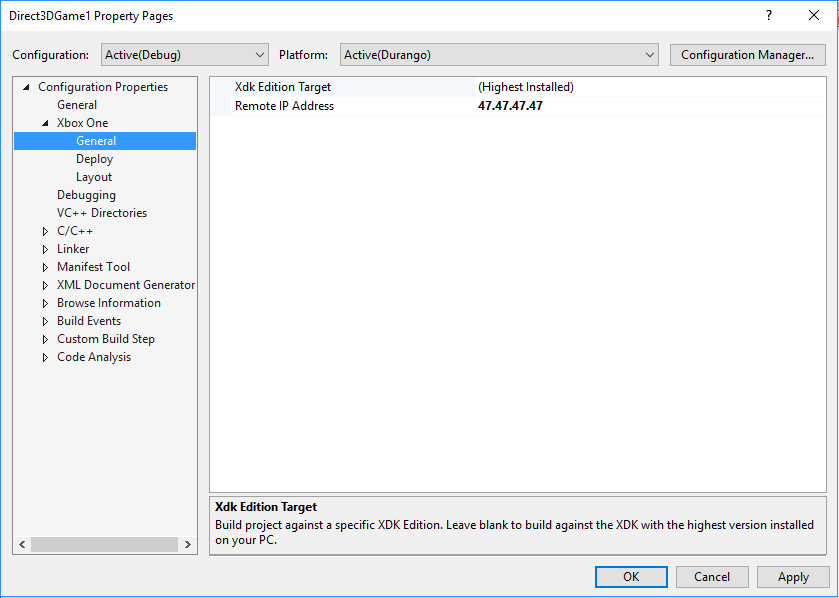
The General property page contains the following properties:
Xdk Edition Target
Specifies the XDK edition to build the project against. Defaults to highest version installed on your PC.
Remote IP Address
Specifies the remote console name or IP address. This is the console on which built projects will be deployed, executed, and debugged. If this property is left blank, or set to blank, the default remote console specified by Connect (xbconnect.exe) will be used.
Figure 1. The General property page
Note
DurangoConfig.xml, a file previously used to specify the IP address of a remote console, is no longer supported. If your project still contains DurangoConfig.xml, you must update the project to use the Remote IP Address property, or you must create a file, project.vcxproj.user, stored with project.vcxproj in the project’s directory. That file should have the following format:
 <?xml version="1.0" encoding="utf-8"?>
 <Project ToolsVersion="4.0" xmlns="http://schemas.microsoft.com/developer/msbuild/2003">
   <PropertyGroup>
     <RemoteAddress>10.10.10.10</RemoteAddress>
   </PropertyGroup>
 </Project>
where 10.10.10.10 is replaced by the address of your remote console.
Deploy
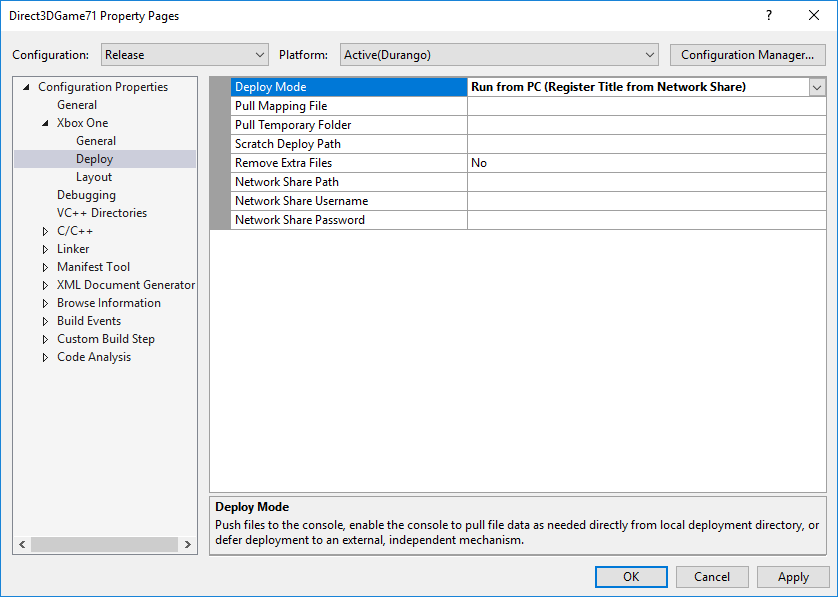
The Deploy property page contains the following properties:
Deploy Mode
Whether to push files to the Console, enable the Console to pull file data as needed directly from a local deployment directory, or defer deployment to an external, independent mechanism. See Xbox One Deployment.
Pull Mapping File
File used in Pull Deployment to designate directory and file sources used to populate the application layout. See Pull Deployment for information on the mapping file schema and use.
Pull Temporary Folder
The directory where temporary files will be created. If not specified, the user’s temporary path will be used.
Scratch Deploy Path
Optional Push deployment path on the Title Scratch drive for ERAs.
Remove Extra Files
When set to Yes, deployment removes files found on the console that are not part of the project’s build output. The default is No.
Network Share Path
Path to the network share used with network share registration deployment.
Network Share Username
Optional username used to access the network share specified by the Network Share Path property.
Caution This username is passed as plain text and might be stored locally. For added security, leave this field blank and manage your credentials in Xbox Device Portal (Windows Device Portal on Xbox) or Developer Home on the Console (Dev Home).
Network Share Password
Optional password used to access the network share specified by the Network Share Path property.
Figure 2. The Deploy property page
Layout
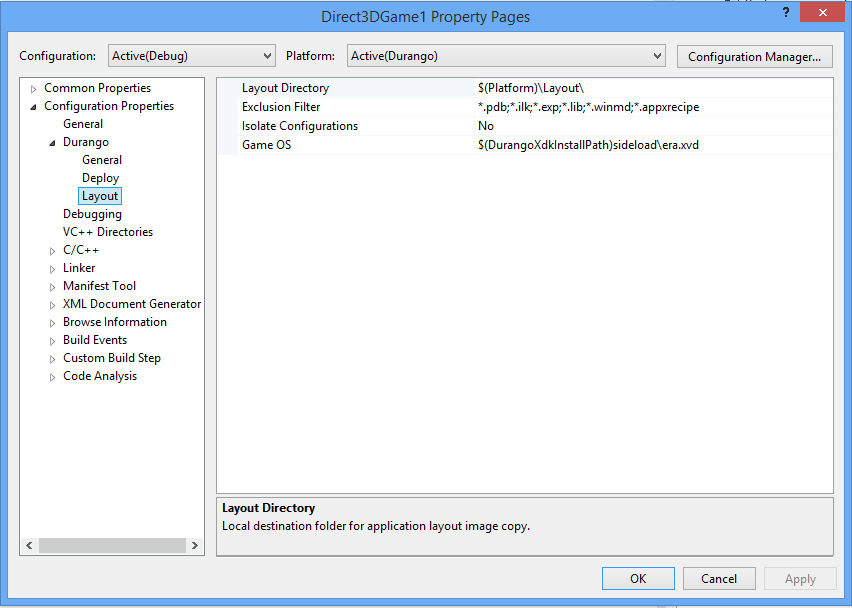
The Layout property page contains the following properties:
Layout Directory
Specifies the local directory where build results are laid out. It is from this directory that the application is deployed to the remote console.
Exclusion Filter
Specifies files and file types that will not be copied to the layout directory.
Isolate Configuration
When set to Yes, Visual Studio treats each build configuration as a separate output for determining the list of files copied to the layout directory. The default is No.
Game OS
Specifies the version of the Game OS to be provided with the loose file layout of a title.
Figure 3. The Layout property page
Debugging
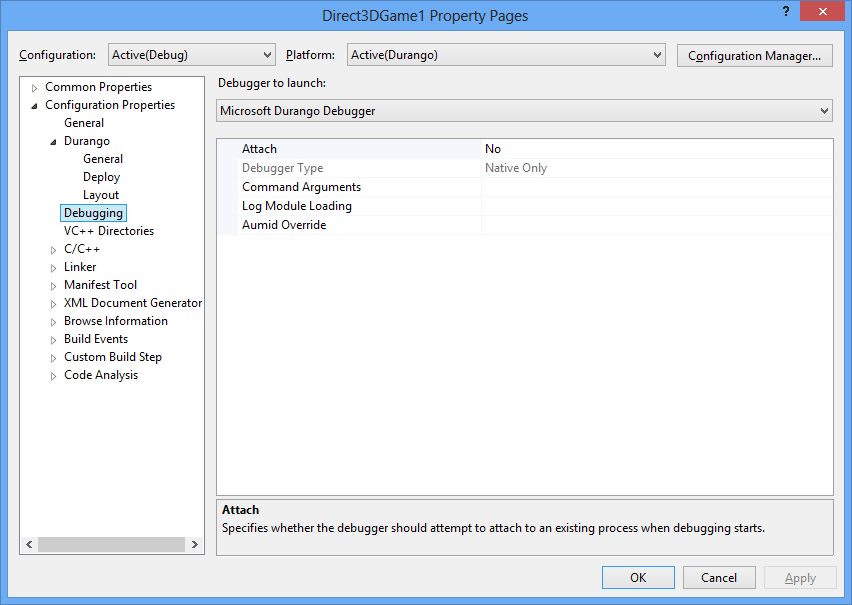
The Debugging property page contains the following properties:
Debugger to launch
For Xbox One projects, select Microsoft Xbox One Debugger.
Attach
Specifies whether the debugger should attempt to attach to an existing process when debugging starts.
Debugger Type
Specifies the debugger type to use. When set to Auto, the debugger type will be selected based on contents of the exe file.
Command Arguments
The command line arguments to pass to the application.
Command line arguments are passed to the game through the Arguments property on the LaunchActivatedEventArgs class. An instance of LaunchActivatedEventArgs is sent to the game as a parameter to the Activated event on CoreApplicationView. The Activated event receives event args of type IActivatedEventArgs which has a Kind property. If IActivatedEventArgs::Kind is Launch, the args can be QI’d for ILaunchActivatedEventArgs (casted) to access the Arguments property. See Passing Arguments to an App or Game for additional information.
Log Module Loading
Enable verbose debug output which includes module loading information.
Aumid Override
The App User Model Identifer to use for Launch instead of that listed in the package manifest.
Figure 4. The Debugging property page
Related Property Pages
There are additional properties that, while not unique to Xbox One, have required or recommended settings for Xbox One applications. These settings insure proper and optimal functioning of Xbox One applications:
RandomizedBaseAddress
Must be set to Yes, which is the default for a Xbox One XDK project. This setting is required in order for address space layout randomization (ASLR) to function, and ASLR is required by Xbox One applications. Do not set RandomizedBaseAddress to No or attempt to disable ASLR.
RandomizedBaseAddress is set on the Linker/Advanced property sheet.