PIX Inline Function Analysis
Function Summary and Callgraph captures include an analysis of the inlined functions in a capture that are most likely to impact your title’s performance. The analysis assigns a weight to each function using a heuristic based on the number of times a given function is inlined and the call counts of each containing function.
The heuristic is necessary due to PIX being unable to determine exact call counts for inlined functions. Function Summary and Callgraph captures use dynamic instrumentation to hook function entries and exits. Since inlined functions aren’t “called”, there are no function entries and exits to hook. Instead, the heuristic is meant to measure the likelihood that a given inlined function is used frequently. The inlined functions that are used the most often are likely to be the ones you should optimize first.
Information about inlined functions appears in two places in Function Summary and Callgraph captures: the Capture Summary tab and the Inlined Functions tab.
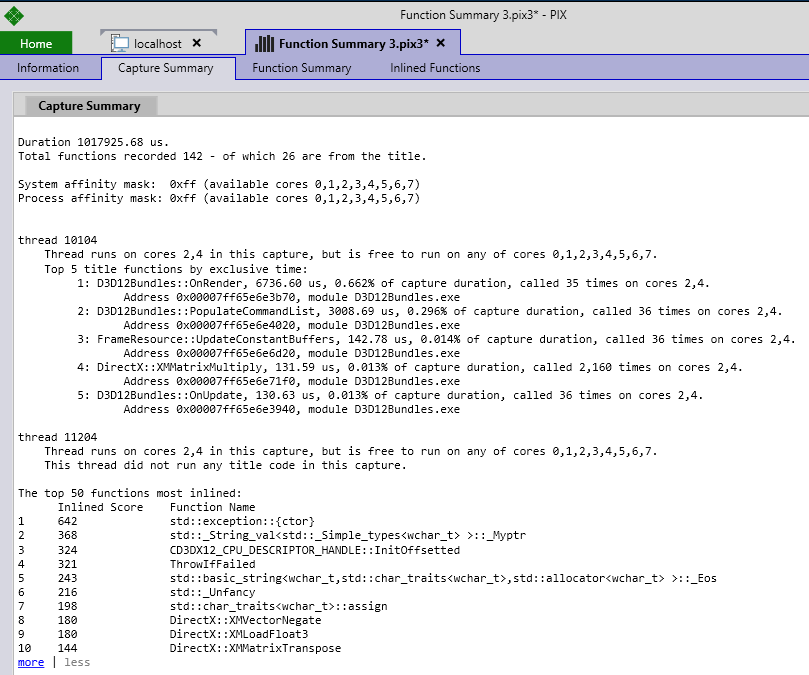
The Capture Summary tab contains a Top N list of the inlined functions that are most likely to impact title performance. The list can be expanded and contracted using the more and less hyperlinks.
The Inlined Functions tab includes an event list sorted by the heuristic used in the analysis called an Inline Weight. The event list contains one row for every inlined function in the capture. Each inlined function can then be expanded to see the set of functions it’s contained within.
The Inline Weight is equal to (number of places a function was inlined) * (number of times those containing functions were called). Take a look at the following event list:
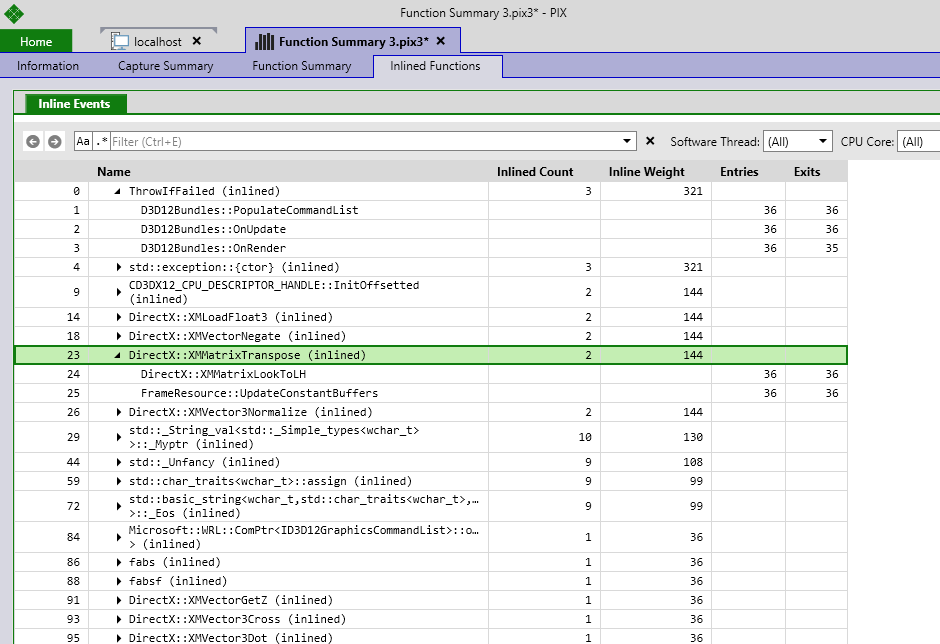
The inlined function DirectX::XMMatrixTranspose was inlined into DirectX::XMMatrixLookToLH and FrameResources::UpdateConstantBuffers, hence the Inlined Count of 2.
Both DirectX::XMMatrixLookToLH and FrameResources::UpdateConstantBuffers were called 36 times. So the Inline Weight for DirectX::XMMatrixTranspose is ((36+36)*2 or 144.